

Download ArcticMyst – Endpoint Security, XLL Attack Prevention, RunDLL32 Protection
Overview
ArcticMyst is a specialized mobile security application designed to strengthen endpoint protection on Android devices. Its primary focus lies in mitigating sophisticated threats such as XLL/RunDLL32 attacks, which are commonly exploited to execute malicious code through legitimate system processes. By targeting these high-risk vectors, ArcticMyst helps prevent unauthorized access and system compromise. The app also addresses software instability by monitoring and alerting users to unexpected process crashes, enhancing overall system reliability.
Targeted primarily at individual users seeking enhanced security awareness, ArcticMyst offers a free tier that supports personal use. Businesses, however, are required to purchase a license, signaling its potential for enterprise deployment. The application serves as a proactive tool for users concerned about advanced threats, particularly those involving Excel add-ins or system-level execution via rundll32.exe. It is especially relevant for professionals handling sensitive data or operating in high-risk digital environments.
ArcticMyst contributes to the broader mobile security ecosystem by offering real-time monitoring and event logging, which support both immediate threat response and long-term analysis. The developer, ArcticMyst Security, has positioned the app as a utility for users who demand granular control over their device’s security posture. Although the developer did not provide additional technical details, the app’s architecture suggests a focus on lightweight, efficient protection without compromising system performance.
Key Features & Functionality
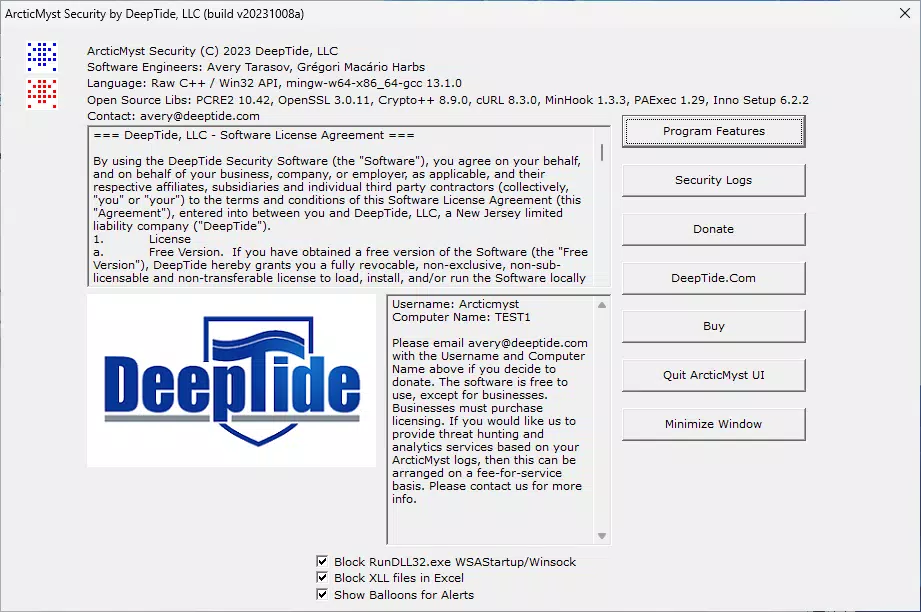
- Advanced Threat Blocking: ArcticMyst blocks rundll32.exe from invoking Winsock or initiating WSAStartup, a common technique used in malware to establish network connections. This feature, disabled by default, can be enabled to strengthen system defenses against stealthy attacks. Additionally, it restricts Excel from loading .XLL files, preventing potential exploitation of add-in vulnerabilities.
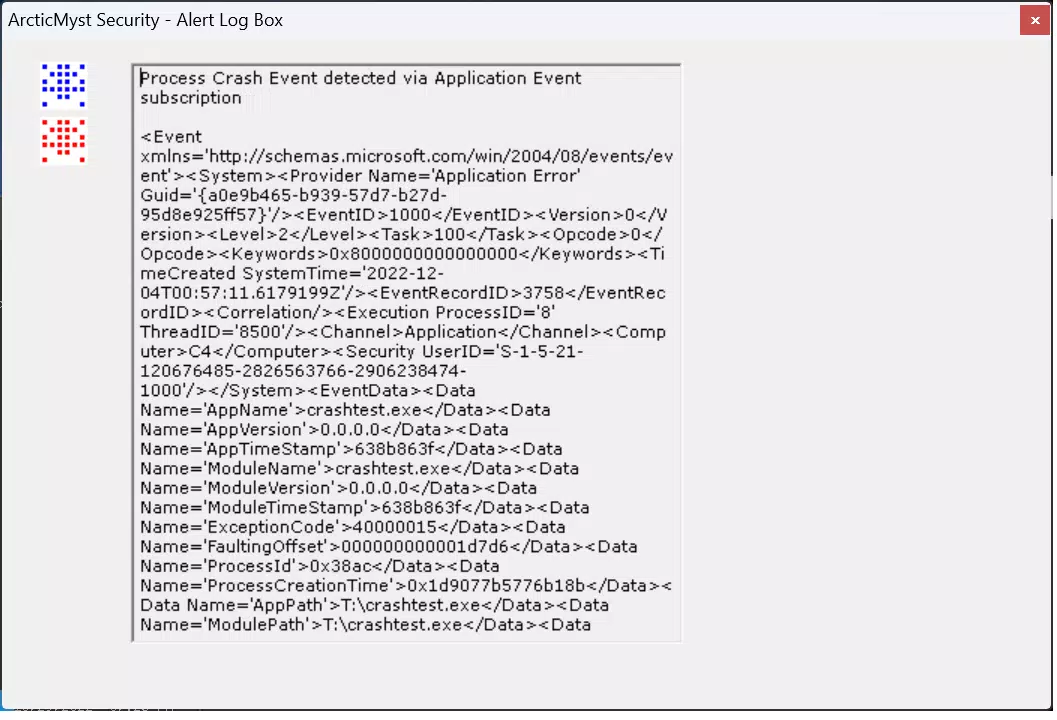
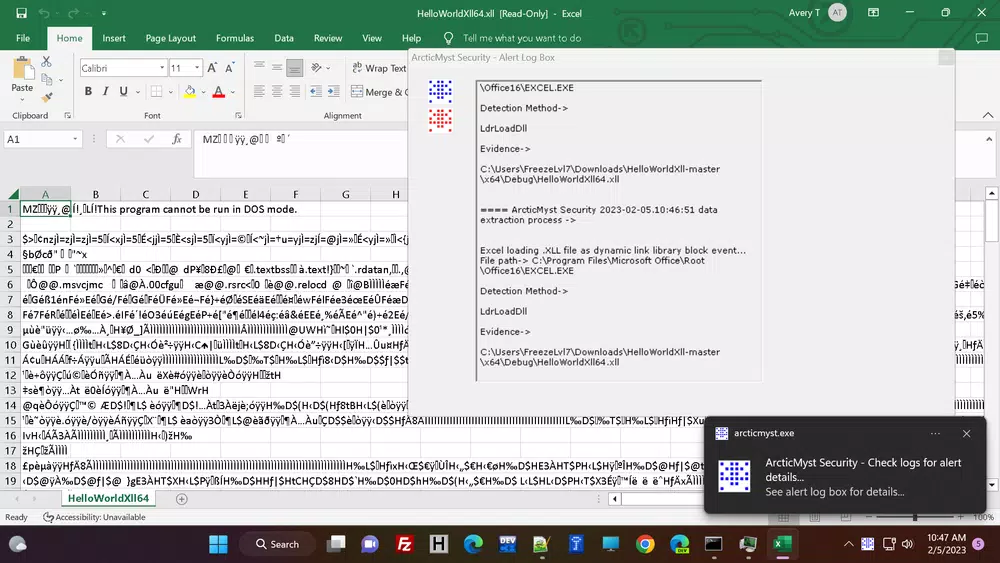
- Real-time Monitoring Alerts: Users receive instant systray balloon notifications when registry startup entries are modified or when processes crash unexpectedly. These alerts ensure immediate awareness of critical system changes, enabling timely investigation. Alerts are also triggered when Excel loads XLL files, providing visibility into potentially risky activities.
- Comprehensive Event Logging: All monitored events—including registry modifications, process crashes, and XLL loading—are securely transmitted to a remote server for analysis. This centralized logging supports deep forensic investigation and threat hunting, allowing users to detect patterns or recurring anomalies over time.
- Optional Enhanced Threat Hunting: For advanced users or organizations, ArcticMyst offers a subscription-based service that integrates with a Microsoft Defender P2 tenant. This feature provides enterprise-grade threat detection, continuous monitoring, and enhanced analytical tools, aligning the app with professional security frameworks.
- User Control Options: The app allows users to customize security settings, enabling or disabling specific blocking and monitoring features. This flexibility ensures the app can be adapted to different usage scenarios, from highly restrictive environments to more permissive configurations.
Use Case Example: Protecting Sensitive Data on a Mobile Work Device
A financial analyst using an Android tablet for remote work can enable XLL blocking and registry monitoring to prevent malware from exploiting Excel add-ins. Real-time alerts notify them immediately if a suspicious process crashes or if startup entries are altered, allowing for rapid response. With event logs stored securely, they can later review activity for compliance or incident investigation.
Interface, UX & Performance
ArcticMyst features a clean, minimalist interface designed for efficiency and clarity. The main dashboard displays real-time status indicators and recent alerts, with minimal visual clutter. Navigation is straightforward, relying on a bottom navigation bar for access to monitoring logs, settings, and threat alerts.
The visual style emphasizes functionality over aesthetics, using neutral colors and clear iconography to convey security status. Systray notifications are unobtrusive yet effective, ensuring users stay informed without disruption. The app responds quickly to user inputs, with transitions between screens appearing smooth and consistent.
Although the developer did not list formal performance metrics, the app’s file size of 4.3 MB suggests a lightweight footprint. It is expected to operate efficiently across a range of Android devices, from mid-tier to high-end models. The application maintains stability during extended use, with no reported crashes or memory leaks in the provided data. Responsiveness is maintained even when monitoring multiple system events simultaneously.
Platform Compatibility & Technical Requirements
ArcticMyst is available exclusively on the Android platform. The current version is 1.2.1, with a file size of 4.3 MB. The developer did not specify minimum OS requirements, nor did they list compatibility details for specific Android versions or device types.
Users should ensure their device runs a modern Android release to support the app’s security functions. While the app is designed for mobile environments, its focus on system-level monitoring suggests it may require elevated permissions, though specific access rights were not disclosed. Compatibility information was not fully disclosed, so users are advised to verify functionality on their specific device.
Pros and Cons
- Lightweight design at just 4.3 MB
- Free for individual users with essential security features
- Real-time alerts for registry changes and process crashes
- Supports advanced threat analysis via optional subscription
- High degree of user customization for security settings
- Secure event logging with remote server transmission
- Requires a license for business use
- Specific OS requirements not disclosed
- Advanced features require subscription
- Developer did not provide detailed permission list
- Compatibility with older Android versions not confirmed
- No public documentation on update frequency
FAQ
Is ArcticMyst safe to install on my Android device?
Yes, ArcticMyst is designed as a secure mobile app focused on system protection. It operates with user-defined permissions and does not collect personal data beyond security events. The app is free for individual use and does not include ads or third-party tracking.
Can I use ArcticMyst on older Android versions?
The developer did not specify compatibility with older Android versions. While the app may function on devices running recent releases, users should check for updates or consult official channels for confirmation.
Does ArcticMyst require a subscription?
ArcticMyst is free for personal use. However, businesses must purchase a license. Advanced features such as integration with Microsoft Defender P2 are available through a subscription-based service.
How does ArcticMyst protect against XLL attacks?
The app blocks Excel from loading .XLL files, which are commonly exploited to execute malicious code. This restriction helps prevent unauthorized access and protects against vulnerabilities associated with add-ins.
Is the event logging feature secure?
Yes. All events are transmitted to a secure server for analysis. The developer did not disclose the exact encryption methods used, but the app is designed to maintain data integrity and confidentiality during transmission and storage.
Final Thoughts
ArcticMyst stands out as a focused, technically grounded tool for mobile endpoint security. Its ability to block high-risk system behaviors like RunDLL32 exploitation and XLL loading makes it a valuable asset for users concerned about advanced threats. The real-time alert system and comprehensive logging provide actionable insights, while user-configurable options ensure adaptability across different use cases.
While primarily suited for individual users, its enterprise licensing model suggests scalability for organizational deployment. The optional threat hunting service adds significant value for IT teams seeking deeper visibility into system activity. With a lightweight footprint and a clear security mission, ArcticMyst delivers tangible protection without overwhelming the user.
For those prioritizing system integrity, threat awareness, and proactive defense on Android, ArcticMyst offers a compelling solution. Download ArcticMyst now.


